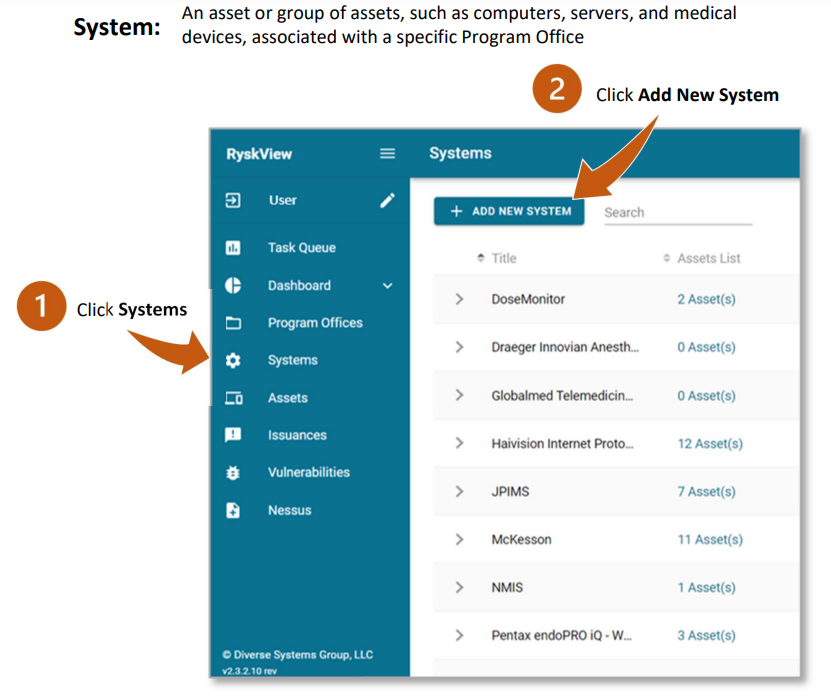
Create and Populate a New System
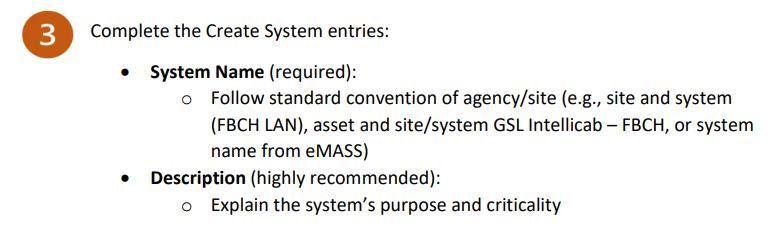
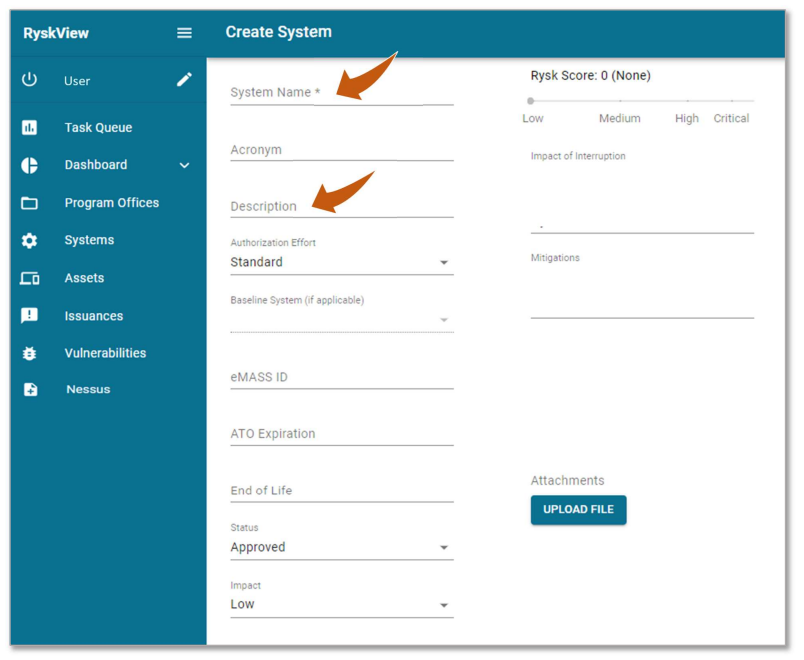
Note: Completing the additional fields is optional but recommended to assist with risk
management.
- Acronym, eMASS ID, ATO Expiration date, and End of Life date
- Status: Change status to Unapproved if system is not authorized
- Impact of Interruption: E.g., impact to mission, cost of interruption, and/or potential injury; information populates in Impact Description field of eMASS formatted POAM exports
- Mitigations: Enter high-level vulnerability-level mitigations (e.g., System is behind a local firewall, has HBSS deployed, is only accessed by a few people) and System-level mitigations (will populate as the mitigation for eMASS formatted POAM exports)
Rysk Score is assigned by Ryskview.
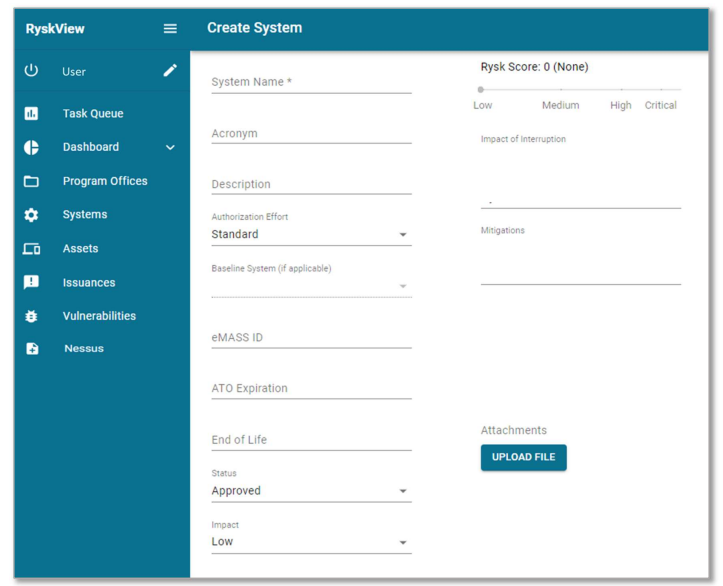
The Authorization Type and A & A System fields allow you to link systems that are used
across multiple locations and Program Offices. More details are provided in the next section,
Multi System Management.
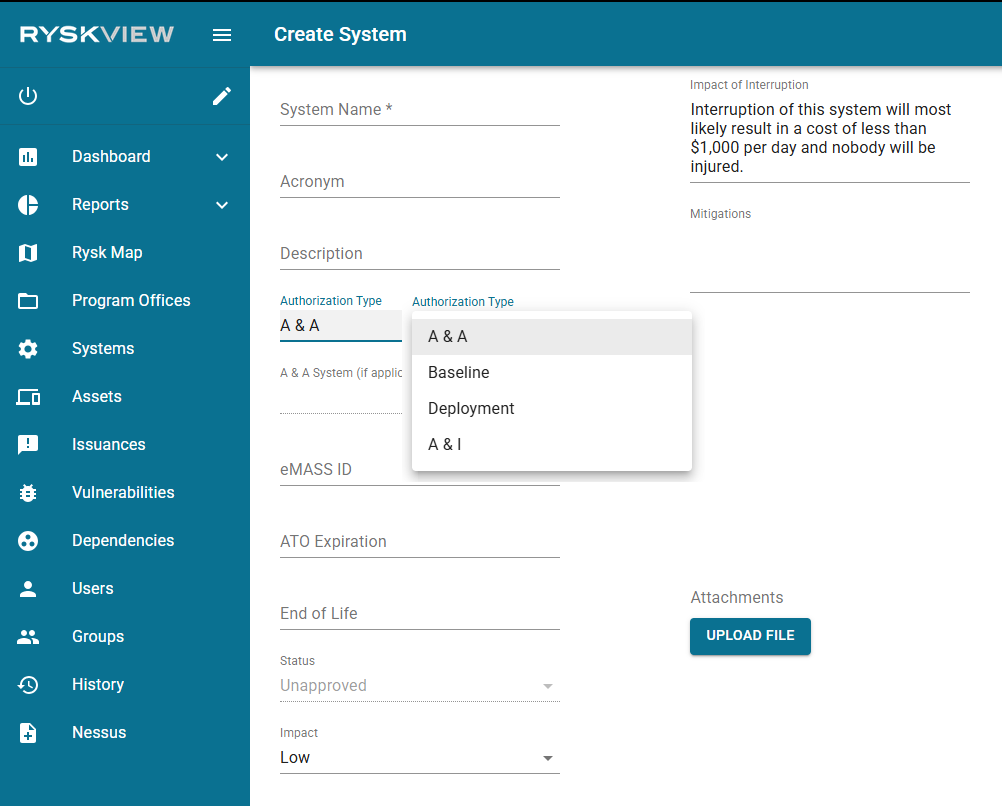
Authorization Effort entries:
- Assess and Authorize(default): Use for typical Authorizations for Local Area Networks (LAN) or individual systems following the standard ATO Process
- Baseline: Use for a baseline system that will have deployed systems linked to it
- Deployment: Use for systems that will link to a baseline system
- Assess and Incorporate: Use for systems that will integrate into a broader system with continuous improvement and adaptation.
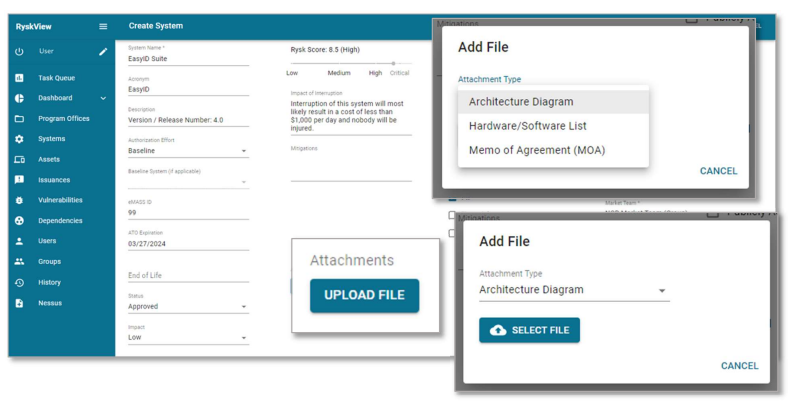
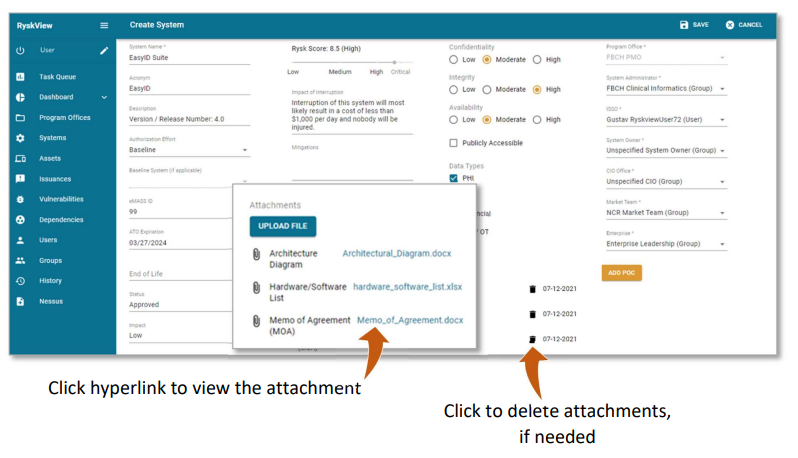
The Attachments section allows user to attach system-related files.
Click the Upload File button to select, attach, and upload files:
- Architecture Diagram
- Hardware/Software (HW/SW) List
- Memo of Agreement (MOA)